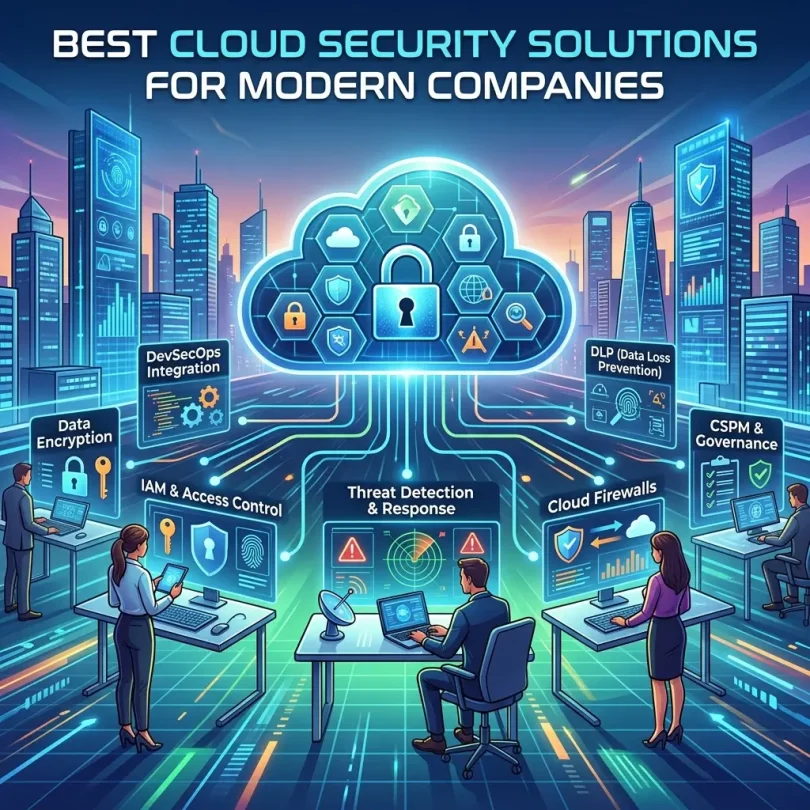

Cloud adoption has changed how modern companies build, deploy, store, and scale technology.
A few years ago, many companies only needed basic antivirus, firewalls, and endpoint protection. Today, the security challenge is much bigger. Businesses now run applications across AWS, Microsoft Azure, Google Cloud, Kubernetes, containers, serverless functions, SaaS tools, CI/CD pipelines, APIs, databases, cloud storage, and remote employee devices.
This creates a new security problem:
Your company’s most important data may not be inside one office, one server, or one network anymore.
It may be spread across multiple cloud accounts, regions, identities, workloads, containers, code repositories, storage buckets, and third-party services. One misconfigured storage bucket, over-permissioned identity, exposed secret, vulnerable container image, unpatched workload, or risky API can create a serious security incident.
That is why cloud security solutions have become essential for modern companies.
Cloud security tools help organizations detect misconfigurations, monitor cloud workloads, protect containers, manage identity risk, scan code and infrastructure-as-code, enforce compliance, find exposed data, prioritize vulnerabilities, and respond to threats across multi-cloud environments.
Gartner’s Peer Insights page describes Cloud Security Posture Management tools as solutions that help identify and remediate risks across cloud infrastructure, including IaaS, SaaS, and PaaS environments. It says these tools continuously assess multi-cloud security posture by maintaining current asset inventory and detecting misconfigurations.
Modern cloud security has also moved toward CNAPP, or Cloud-Native Application Protection Platform. Palo Alto Networks defines CNAPP as a unified security solution designed to address the full lifecycle of cloud-native applications, from development through production, by integrating security and compliance capabilities into one platform.
This guide compares the best cloud security solutions for modern companies, explains key categories such as CNAPP, CSPM, CWPP, CIEM, and CDR, and helps businesses choose the right platform for AWS, Azure, Google Cloud, Kubernetes, DevOps, compliance, and enterprise security.
Important Disclaimer
This article is for general educational and informational purposes only. It is not cybersecurity, legal, compliance, audit, or professional risk management advice. Cloud security needs vary by company size, cloud architecture, data sensitivity, industry, compliance requirements, budget, and internal security maturity. Always consult qualified cybersecurity professionals before selecting or implementing cloud security tools.
What Is Cloud Security?
Cloud security is the set of technologies, policies, controls, and practices used to protect cloud-based systems, applications, data, identities, workloads, and infrastructure.
Cloud security may include:
- Cloud configuration monitoring
- Identity and access management
- Cloud workload protection
- Container security
- Kubernetes security
- Serverless security
- Infrastructure-as-code scanning
- Vulnerability management
- Runtime threat detection
- Data security posture management
- Secrets detection
- API security
- Cloud compliance monitoring
- Threat detection and response
- Security logging
- DevSecOps workflows
- Cloud network security
- SaaS security
- Multi-cloud visibility
The goal is not only to stop hackers. It is also to prevent mistakes.
Many cloud incidents happen because of misconfigurations, excessive permissions, exposed secrets, weak access controls, public storage, unpatched workloads, or poor monitoring.
Why Modern Companies Need Cloud Security Solutions
Cloud platforms are powerful, but they are also complex.
A company may use:
- AWS for production workloads
- Google Cloud for AI and data pipelines
- Azure for enterprise apps
- GitHub for code
- Kubernetes for containers
- Terraform for infrastructure
- Okta for identity
- Slack for collaboration
- Datadog for monitoring
- Snowflake for data
- Cloudflare for edge security
Each system adds risk if not configured and monitored properly.
Modern cloud security solutions help companies:
- Discover cloud assets
- Find misconfigurations
- Detect public exposure
- Identify excessive permissions
- Monitor cloud workloads
- Scan containers and images
- Protect Kubernetes clusters
- Detect vulnerabilities
- Prioritize exploitable risks
- Enforce compliance frameworks
- Find secrets in code
- Map cloud identities
- Protect sensitive data
- Detect runtime threats
- Support DevSecOps teams
- Reduce alert noise
- Help pass audits
- Improve incident response
Without cloud security software, security teams may spend too much time manually checking cloud consoles, spreadsheets, scanner reports, tickets, and logs.
Key Cloud Security Categories Explained
Before comparing tools, it is important to understand the main cloud security categories.
What Is CSPM?
CSPM stands for Cloud Security Posture Management.
CSPM tools help identify misconfigurations and compliance risks in cloud environments.
Examples include:
- Public storage buckets
- Open security groups
- Weak encryption settings
- Missing logging
- Risky cloud permissions
- Exposed databases
- Non-compliant cloud resources
- Insecure Kubernetes settings
- Disabled backups
- Overly broad IAM roles
Palo Alto Networks explains that CSPM helps mitigate risk and compliance violations by identifying and remediating misconfigurations across public cloud environments, giving teams automated visibility, continuous monitoring, and remediation workflows across IaaS, PaaS, and SaaS.
CSPM is usually the foundation of cloud security.
What Is CWPP?
CWPP stands for Cloud Workload Protection Platform.
CWPP tools protect cloud workloads such as:
- Virtual machines
- Containers
- Kubernetes workloads
- Serverless functions
- Cloud-hosted applications
- Hybrid workloads
Palo Alto Networks defines a CWPP as a security solution designed to protect workloads in cloud environments, including traditional VMs, containers, and serverless functions across public, private, and hybrid clouds.
CWPP matters because cloud workloads are where applications actually run.
What Is CNAPP?
CNAPP stands for Cloud-Native Application Protection Platform.
CNAPP combines multiple cloud security functions into one platform.
A CNAPP may include:
- CSPM
- CWPP
- CIEM
- Infrastructure-as-code scanning
- Container security
- Kubernetes security
- Vulnerability management
- Runtime protection
- Data security posture management
- Cloud detection and response
- DevSecOps integration
- Compliance monitoring
Orca Security explains that CNAPP is designed to safeguard cloud-native applications across the full cloud-native stack, combining capabilities such as CSPM, workload protection, CIEM, runtime container security, API security, and more in one platform.
For modern companies, CNAPP is often better than buying many separate cloud security tools.
What Is CIEM?
CIEM stands for Cloud Infrastructure Entitlement Management.
CIEM tools help manage identity and permission risk in cloud environments.
They detect issues like:
- Over-permissioned users
- Unused permissions
- Risky admin roles
- Publicly exposed identities
- Service accounts with excessive privileges
- Cross-account privilege paths
- Privilege escalation risks
Cloud identity risk is a major problem because cloud breaches often involve stolen credentials or excessive permissions.
What Is CDR?
CDR stands for Cloud Detection and Response.
CDR tools help detect and respond to threats in cloud environments.
They may monitor:
- Suspicious cloud API activity
- Unusual identity behavior
- Malware in workloads
- Container runtime threats
- Lateral movement
- Data exfiltration
- Unusual network activity
- Compromised accounts
- Kubernetes attacks
CDR is important because posture management alone is not enough. Companies also need runtime detection and response.
Best Cloud Security Solutions for Modern Companies
Below are some of the best cloud security solutions to compare in 2026.
1. Wiz
Best for: Fast cloud visibility, risk prioritization, CNAPP, and cloud-native security
Good for: SaaS companies, enterprises, DevSecOps teams, multi-cloud environments
Main strength: Context-based cloud risk graph and fast time-to-value
Wiz is one of the most recognized cloud security platforms in the CNAPP market. It connects code, cloud, and runtime into a unified security platform and focuses on helping teams understand real cloud risk across environments.
Wiz says its platform connects code, cloud, and runtime into a unified context graph so teams can fix exploitable risks at the source, stop attacks in real time, and start secure from the IDE. Its platform page describes end-to-end visibility and protection for cloud and AI systems across development, infrastructure, data, and runtime.
Google Cloud also announced in March 2026 that it completed the acquisition of Wiz, stating that Wiz helps organizations secure cloud and AI applications and connects code, cloud, and runtime in its security platform.
Key Features
- CNAPP platform
- Cloud risk graph
- CSPM
- Vulnerability prioritization
- Cloud workload visibility
- Identity risk analysis
- Kubernetes security
- Container security
- Code-to-cloud visibility
- Cloud and AI application security
- Multi-cloud support
- Risk prioritization
- Developer workflow support
- Runtime context
Why Wiz Is Good
Wiz is strong because it focuses on context. Instead of showing thousands of alerts, it helps teams understand which risks are actually dangerous based on exposure, vulnerabilities, identities, data, and workload context.
This is useful for modern companies because cloud environments create too many alerts. Security teams need prioritization.
Best Fit
Wiz is best for companies that want fast cloud visibility, contextual risk prioritization, and cloud-native security across AWS, Azure, Google Cloud, Kubernetes, and AI workloads.
Possible Downsides
Wiz can be enterprise-oriented. Smaller companies should compare pricing, required features, implementation needs, and whether they need full CNAPP or a simpler CSPM tool.
2. Palo Alto Networks Prisma Cloud
Best for: Enterprise CNAPP, code-to-cloud security, and broad platform coverage
Good for: Enterprises, regulated industries, multi-cloud teams, mature security programs
Main strength: Comprehensive CNAPP with strong Palo Alto ecosystem
Prisma Cloud is Palo Alto Networks’ cloud-native security platform. Palo Alto describes Prisma Cloud as a comprehensive Cloud Native Application Protection Platform for code-to-cloud security across any cloud, multi-cloud, and hybrid environments.
Palo Alto’s CWPP page also says Prisma Cloud provides flexible protection for cloud VMs, containers, and Kubernetes applications.
Reuters reported in 2025 that Palo Alto launched new AI-driven security offerings including updated versions of its cloud security platform, Cortex Cloud 2.0, and its AI application security platform Prisma AIRS 2.0, reflecting the company’s broader push into AI-powered cloud and application security.
Key Features
- CNAPP
- CSPM
- CWPP
- Code security
- Cloud workload protection
- Container security
- Kubernetes security
- Runtime protection
- Cloud compliance
- Identity security
- Vulnerability management
- Multi-cloud visibility
- DevSecOps integrations
- AI security capabilities
- Enterprise policy controls
Why Prisma Cloud Is Good
Prisma Cloud is strong for enterprises that want broad functionality. It can support cloud posture, workload protection, development pipeline security, runtime threat detection, and compliance workflows.
It is especially attractive for companies already using Palo Alto Networks security products.
Best Fit
Prisma Cloud is best for larger companies, regulated industries, enterprises, and teams wanting a broad cloud security platform with deep CNAPP capabilities.
Possible Downsides
Because Prisma Cloud is broad, it may require more setup and security expertise. Smaller companies may find it more complex than lightweight cloud security tools.
3. Orca Security
Best for: Agentless cloud security, risk prioritization, and fast deployment
Good for: Multi-cloud companies, security teams wanting broad visibility without heavy agents
Main strength: Agentless cloud security and contextual risk detection
Orca Security is a CNAPP and cloud security platform known for agentless cloud visibility and contextual risk prioritization.
Orca explains that CNAPPs have emerged because siloed traditional cloud security tools struggle with modern cloud complexity. It describes CNAPP as detecting risks across the full technology stack, including cloud misconfigurations, mismanaged identity access, vulnerabilities, malware, and data at risk.
Orca’s 2026 comparison of Prisma Cloud alternatives lists Orca Security, Wiz, CrowdStrike Falcon Cloud Security, Lacework FortiCNAPP, and Aqua Security as major alternatives buyers compare when evaluating CNAPPs.
Key Features
- CNAPP
- Agentless cloud scanning
- CSPM
- Vulnerability management
- Identity risk analysis
- Data risk detection
- Malware detection
- Cloud workload visibility
- Kubernetes risk visibility
- Compliance monitoring
- Contextual risk prioritization
- Multi-cloud support
- Attack path analysis
Why Orca Is Good
Orca is useful for companies that want cloud security visibility without deploying agents everywhere. Agentless scanning can reduce operational friction and speed up deployment.
Its risk prioritization can help teams focus on combinations of issues, such as a vulnerable workload that is internet-exposed and has access to sensitive data.
Best Fit
Orca Security is best for companies that want fast agentless cloud visibility and risk prioritization across multi-cloud environments.
Possible Downsides
Some teams may still need agent-based runtime protection for specific workloads. Companies should confirm whether Orca’s agentless approach covers all detection and response needs.
4. CrowdStrike Falcon Cloud Security
Best for: Companies wanting cloud security connected with endpoint and threat detection
Good for: Enterprises using CrowdStrike, SOC teams, EDR-focused organizations
Main strength: Cloud security plus CrowdStrike threat intelligence and endpoint heritage
CrowdStrike Falcon Cloud Security extends CrowdStrike’s security platform into cloud environments. It is especially attractive for organizations already using CrowdStrike for endpoint detection and response.
A Wiz comparison notes that Palo Alto Prisma Cloud and CrowdStrike Falcon Cloud Security are enterprise-grade security solutions from established vendors, with Prisma Cloud delivering CNAPP capabilities across build, deploy, and runtime layers, while CrowdStrike Falcon Cloud Security extends from endpoint/EDR heritage into CNAPP.
Key Features
- Cloud security posture management
- Cloud workload protection
- Runtime protection
- Container security
- Kubernetes security
- Threat detection
- Vulnerability visibility
- Identity risk
- SOC workflow integration
- Threat intelligence
- Multi-cloud support
- Integration with Falcon platform
Why CrowdStrike Falcon Cloud Security Is Good
CrowdStrike is strong for companies that want cloud protection connected with broader detection and response. If a security team already uses CrowdStrike Falcon for endpoint, identity, and threat hunting, adding cloud security inside the same ecosystem can simplify operations.
It is also useful for SOC teams that want cloud alerts connected to broader threat detection.
Best Fit
CrowdStrike Falcon Cloud Security is best for companies already using CrowdStrike or organizations that want cloud security tied to threat detection and response.
Possible Downsides
Companies not already using CrowdStrike should compare total cost, platform fit, cloud-native depth, and whether it matches DevSecOps workflows.
5. Microsoft Defender for Cloud
Best for: Microsoft Azure security and hybrid cloud protection
Good for: Azure-heavy companies, Microsoft 365 customers, hybrid infrastructure
Main strength: Native Microsoft cloud security integration
Microsoft Defender for Cloud is Microsoft’s cloud security platform for Azure and hybrid/multi-cloud environments. It is especially relevant for organizations already using Microsoft Azure, Microsoft 365, Entra ID, and the Microsoft security ecosystem.
A 2026 CNAPP tools roundup lists Microsoft Defender for Cloud among notable CNAPP tools, alongside Orca, Wiz, Lacework, Prisma Cloud, and others.
Key Features
- Cloud security posture management
- Workload protection
- Azure security recommendations
- Compliance dashboard
- Vulnerability assessment
- Container and Kubernetes protection
- Defender integration
- Multi-cloud connectors
- Security score
- Threat detection
- Integration with Microsoft Sentinel
- Identity and endpoint ecosystem alignment
Why Microsoft Defender for Cloud Is Good
Defender for Cloud is a natural fit for companies that rely heavily on Azure. It connects well with Microsoft security tools and can help teams centralize visibility across Azure resources.
It can also be cost-effective for Microsoft-centric companies because it fits into existing licensing and security workflows.
Best Fit
Microsoft Defender for Cloud is best for Azure-first companies, Microsoft-heavy enterprises, and teams that want native Microsoft cloud security.
Possible Downsides
Multi-cloud teams using AWS and Google Cloud heavily should compare Defender’s depth against CNAPP-first platforms like Wiz, Prisma Cloud, Orca, and Lacework.
6. Lacework FortiCNAPP
Best for: Behavioral cloud threat detection and Fortinet ecosystem
Good for: Companies wanting cloud security with anomaly detection and Fortinet alignment
Main strength: Cloud behavior analytics and CNAPP capabilities
Lacework, now often discussed in connection with Fortinet as FortiCNAPP, is a cloud security platform focused on detecting risk and abnormal behavior across cloud environments.
Orca’s 2026 Prisma Cloud alternatives guide lists Lacework/FortiCNAPP among notable CNAPP alternatives.
Key Features
- CNAPP
- Cloud posture management
- Cloud workload security
- Behavioral anomaly detection
- Vulnerability management
- Container security
- Kubernetes security
- Compliance monitoring
- Cloud threat detection
- Multi-cloud support
- Fortinet ecosystem alignment
Why Lacework FortiCNAPP Is Good
Lacework is useful for organizations that want behavior-based cloud threat detection and cloud security posture capabilities. Its alignment with Fortinet can also matter for companies using Fortinet products across network and security operations.
Best Fit
Lacework FortiCNAPP is best for companies that want CNAPP plus behavioral detection and Fortinet ecosystem benefits.
Possible Downsides
Companies should evaluate how the Fortinet integration affects roadmap, pricing, deployment, and support.
7. Aqua Security
Best for: Container, Kubernetes, and cloud-native workload security
Good for: DevOps teams, Kubernetes-heavy companies, containerized environments
Main strength: Deep cloud-native and container security
Aqua Security is known for container, Kubernetes, and cloud-native security. It is often used by companies running modern cloud-native applications.
Aqua’s CNAPP explanation says Gartner defines CNAPP as providing consistent visibility and control over cloud-native applications by integrating CSPM, CWPP, infrastructure-as-code scanning, CIEM, runtime configuration scanning, and vulnerability scanning.
Key Features
- Container security
- Kubernetes security
- Cloud workload protection
- CNAPP capabilities
- Image scanning
- Runtime protection
- Vulnerability management
- IaC scanning
- Compliance monitoring
- Cloud-native application security
- DevSecOps integration
Why Aqua Security Is Good
Aqua is strong for companies where containers and Kubernetes are central. If your engineering team builds and deploys cloud-native apps using container pipelines, Aqua can help secure images, clusters, workloads, and runtime environments.
Best Fit
Aqua Security is best for Kubernetes-heavy companies, DevOps teams, and organizations prioritizing container runtime protection.
Possible Downsides
Companies focused mainly on cloud posture and identity risk should compare Aqua with broader CNAPP tools like Wiz, Prisma Cloud, Orca, and CrowdStrike.
8. Datadog Cloud Security Management
Best for: Companies already using Datadog observability
Good for: DevOps teams, cloud monitoring teams, engineering-led security
Main strength: Cloud security inside observability workflows
Datadog Cloud Security Management is useful for companies already using Datadog for observability, logs, infrastructure monitoring, and application performance monitoring.
A 2026 cloud security assessment tools guide includes Datadog Cloud Security Management among notable tools alongside Wiz, CrowdStrike Falcon Cloud Security, Orca Security, Tenable Cloud Security, Check Point CloudGuard, Lacework FortiCNAPP, Prisma Cloud, Qualys TotalCloud, Microsoft Defender for Cloud, and Splunk Enterprise Security.
Key Features
- Cloud security posture management
- Misconfiguration detection
- Cloud workload security
- Vulnerability visibility
- Infrastructure monitoring alignment
- DevOps dashboards
- Runtime signals
- Log and alert correlation
- Compliance monitoring
- Cloud resource inventory
Why Datadog Cloud Security Management Is Good
Datadog is attractive when engineering and DevOps teams already live inside Datadog dashboards. Adding security visibility inside the same workflow can improve adoption.
It can help teams connect cloud risks with application performance, logs, infrastructure events, and operational metrics.
Best Fit
Datadog Cloud Security Management is best for companies already using Datadog for observability and wanting security integrated into DevOps workflows.
Possible Downsides
Companies needing a full enterprise CNAPP should compare Datadog’s depth against Wiz, Prisma Cloud, Orca, and CrowdStrike.
9. Check Point CloudGuard
Best for: Cloud network security, posture management, and enterprise protection
Good for: Enterprises, regulated companies, network-security-focused teams
Main strength: Cloud security backed by Check Point security ecosystem
Check Point CloudGuard is a cloud security platform that helps protect cloud workloads, networks, and applications.
A 2026 cloud security assessment tools guide lists Check Point CloudGuard among top cloud security assessment tools alongside Wiz, Orca, Tenable, Datadog, Prisma Cloud, Qualys, Microsoft Defender for Cloud, and Splunk.
Key Features
- Cloud security posture management
- Cloud network security
- Workload protection
- Compliance monitoring
- Threat prevention
- Multi-cloud visibility
- Security automation
- Cloud-native protection
- Integration with Check Point ecosystem
Why Check Point CloudGuard Is Good
CloudGuard is useful for companies with strong network security requirements and existing Check Point investments. It can support cloud security posture and threat prevention while aligning with broader enterprise security architecture.
Best Fit
Check Point CloudGuard is best for enterprises that need cloud security, network security, and compliance monitoring under a mature security vendor.
Possible Downsides
DevSecOps-heavy startups may prefer cloud-native-first CNAPP platforms with faster developer workflow integration.
10. Tenable Cloud Security
Best for: Exposure management, vulnerability context, and cloud risk visibility
Good for: Companies already using Tenable, vulnerability management teams
Main strength: Cloud risk connected to exposure and vulnerability management
Tenable Cloud Security is relevant for organizations that want cloud misconfiguration and cloud identity risk connected to broader exposure management.
A 2026 cloud security assessment tools guide lists Tenable Cloud Security among notable cloud security assessment tools, alongside Cloudaware, Wiz, CrowdStrike, Orca, Datadog, Check Point CloudGuard, Lacework, Prisma Cloud, Qualys TotalCloud, Microsoft Defender for Cloud, and Splunk.
Key Features
- Cloud security posture visibility
- Cloud misconfiguration detection
- Identity risk management
- Exposure management
- Vulnerability context
- Multi-cloud monitoring
- Compliance support
- Risk prioritization
- Integration with Tenable ecosystem
Why Tenable Cloud Security Is Good
Tenable is strong for organizations with mature vulnerability management programs. If your company already uses Tenable for exposure management, adding cloud security can create a more unified risk view.
Best Fit
Tenable Cloud Security is best for companies that want cloud security connected to vulnerability and exposure management.
Possible Downsides
Teams should compare CNAPP depth, runtime protection, container security, and developer workflow features against cloud-native platforms.
Quick Comparison Table
| Cloud Security Solution | Best For | Main Strength | Best Company Type |
|---|---|---|---|
| Wiz | Fast CNAPP visibility | Context graph and risk prioritization | SaaS, enterprise, multi-cloud |
| Prisma Cloud | Enterprise CNAPP | Broad code-to-cloud security | Large enterprises |
| Orca Security | Agentless cloud security | Fast deployment and attack path context | Multi-cloud companies |
| CrowdStrike Falcon Cloud Security | Cloud + threat detection | EDR and cloud security ecosystem | SOC-led organizations |
| Microsoft Defender for Cloud | Azure security | Native Microsoft integration | Azure-heavy companies |
| Lacework FortiCNAPP | Behavioral detection | Cloud anomaly detection | Fortinet-aligned teams |
| Aqua Security | Kubernetes security | Container and runtime protection | DevOps/Kubernetes teams |
| Datadog Cloud Security Management | DevOps security | Observability + security workflow | Datadog users |
| Check Point CloudGuard | Cloud network security | Enterprise threat prevention | Network-security teams |
| Tenable Cloud Security | Exposure management | Vulnerability and cloud risk context | Tenable users |
Best Cloud Security Solution by Use Case
Best Overall CNAPP
Wiz and Prisma Cloud
Wiz is strong for fast visibility and contextual risk prioritization. Prisma Cloud is strong for broad enterprise CNAPP coverage.
Best for Agentless Deployment
Orca Security
Orca is strong when teams want broad visibility without deploying agents everywhere.
Best for Azure Companies
Microsoft Defender for Cloud
Best fit for companies deeply invested in Microsoft Azure and Microsoft security tools.
Best for CrowdStrike Customers
CrowdStrike Falcon Cloud Security
Useful for companies already using CrowdStrike endpoint and threat detection.
Best for Kubernetes and Containers
Aqua Security
Strong fit for teams running cloud-native containerized applications.
Best for DevOps Teams
Datadog Cloud Security Management
Good when engineering teams already use Datadog for monitoring and observability.
Best for Enterprise Cloud Network Security
Check Point CloudGuard
Strong for companies with existing Check Point and network security priorities.
Best for Vulnerability-Led Security Teams
Tenable Cloud Security
Useful for teams already using Tenable exposure management.
Features to Look for in Cloud Security Solutions
1. Multi-Cloud Visibility
The tool should support:
- AWS
- Microsoft Azure
- Google Cloud
- Kubernetes
- Containers
- Serverless
- SaaS integrations
- Hybrid environments
Modern companies rarely use only one environment.
2. Asset Inventory
A cloud security tool should show:
- Cloud accounts
- Virtual machines
- Storage buckets
- Databases
- Containers
- Kubernetes clusters
- Serverless functions
- Public IPs
- Load balancers
- Identities
- Secrets
- Data stores
You cannot secure what you cannot see.
3. Misconfiguration Detection
The platform should detect risky settings like:
- Public storage
- Open ports
- Unencrypted databases
- Disabled logging
- Weak network rules
- Missing MFA
- Over-permissioned roles
- Insecure Kubernetes configs
4. Vulnerability Management
A good cloud security solution should identify vulnerable packages, container images, workloads, and exposed services.
But vulnerability lists are not enough. The platform should prioritize based on exploitability and business context.
5. Identity Risk Management
Cloud identity is one of the biggest risk areas.
Look for:
- Excessive permissions
- Unused access
- Admin role sprawl
- Service account risk
- Privilege escalation paths
- External identities
- Cross-account access
6. Runtime Threat Detection
Posture management helps prevent risk, but runtime detection helps detect active threats.
Look for:
- Suspicious process activity
- Container runtime alerts
- Malware detection
- Cloud API anomalies
- Data exfiltration indicators
- Lateral movement detection
- Compromised workload behavior
7. Compliance Monitoring
The platform should help with frameworks such as:
- SOC 2
- ISO 27001
- PCI DSS
- HIPAA
- GDPR
- NIST
- CIS Benchmarks
- FedRAMP, where applicable
8. Developer Workflow Integration
Cloud security should not only live inside the security team.
Good tools integrate with:
- GitHub
- GitLab
- Bitbucket
- Jira
- Slack
- CI/CD tools
- Terraform
- Kubernetes pipelines
- Ticketing systems
9. Risk Prioritization
The best platforms reduce alert noise.
A critical risk may combine:
- Internet exposure
- Known vulnerability
- Sensitive data access
- Admin identity permission
- Runtime exploitability
- Production environment
- No compensating controls
Context matters.
10. Remediation Guidance
The tool should tell teams how to fix issues.
Better platforms provide:
- Step-by-step remediation
- Infrastructure-as-code fixes
- Ownership mapping
- Ticket creation
- Auto-remediation options
- Policy recommendations
Cloud Security Pricing: What Companies Should Expect
Cloud security solution pricing varies widely.
Pricing may depend on:
- Number of cloud accounts
- Number of workloads
- Number of containers
- Number of Kubernetes clusters
- Number of identities
- Cloud spend
- Data volume
- Features enabled
- Runtime agents
- Compliance frameworks
- Enterprise support
- Contract length
Some vendors use quote-based pricing, especially for enterprise CNAPP platforms.
Companies should budget not only for software, but also for:
- Implementation time
- Engineering remediation
- Security team training
- Cloud architecture cleanup
- SIEM integration
- Compliance work
- Consulting support
- Ongoing operational ownership
A cheap tool that creates too many alerts can become expensive in labor. A higher-priced platform that prioritizes real risk may save time.
Cloud Security Implementation Checklist
Before buying a cloud security solution, complete this checklist.
Step 1: Map Your Cloud Environment
List:
- AWS accounts
- Azure subscriptions
- Google Cloud projects
- Kubernetes clusters
- SaaS tools
- CI/CD systems
- Code repositories
- Data stores
- Identity providers
Step 2: Define Security Goals
Do you need:
- CSPM only?
- Full CNAPP?
- Runtime protection?
- Compliance reporting?
- Kubernetes security?
- Data security?
- Developer security?
- Threat detection?
Step 3: Identify Compliance Needs
Common needs include SOC 2, ISO 27001, HIPAA, PCI, GDPR, or industry-specific requirements.
Step 4: Compare Integrations
Make sure the tool connects with your cloud stack and workflow tools.
Step 5: Run a Proof of Concept
A real test matters more than a demo.
During the proof of concept, evaluate:
- Asset discovery
- Alert quality
- False positives
- Risk prioritization
- Remediation guidance
- Reporting
- Ease of deployment
- Developer adoption
- Ticketing workflow
- Support quality
Step 6: Assign Owners
Cloud security fails when nobody owns remediation.
Assign owners for:
- Cloud infrastructure
- IAM
- Kubernetes
- DevOps
- Security operations
- Compliance
- Application teams
- Data teams
Step 7: Build a Remediation Process
Decide:
- Which risks are urgent?
- Who fixes them?
- What is the SLA?
- How are tickets created?
- Who validates fixes?
- What gets reported to leadership?
Step 8: Review Monthly
Cloud changes every day. Review dashboards, trends, open issues, and remediation progress regularly.
Common Cloud Security Mistakes
Mistake 1: Thinking Cloud Provider Security Is Enough
AWS, Azure, and Google Cloud secure the cloud infrastructure, but customers must secure their own configurations, workloads, identities, and data.
Mistake 2: Ignoring Identity Risk
Over-permissioned identities can create serious breach paths.
Mistake 3: Buying Too Many Siloed Tools
Too many tools can create alert fatigue. CNAPP platforms help consolidate visibility.
Mistake 4: Not Prioritizing Alerts
Thousands of findings are useless without context.
Mistake 5: Forgetting Developers
Cloud security must fit developer workflows, not only security dashboards.
Mistake 6: Not Monitoring Runtime
Misconfiguration scanning is important, but runtime threats also matter.
Mistake 7: Ignoring Kubernetes
Kubernetes misconfigurations, exposed services, and vulnerable containers can create serious risk.
Mistake 8: No Compliance Mapping
Cloud security findings should support compliance and audit readiness.
Mistake 9: No Remediation Ownership
Findings must have clear owners and deadlines.
Mistake 10: No Executive Reporting
Leadership needs simple reporting on risk reduction, exposure, and compliance.
Final Verdict: What Is the Best Cloud Security Solution?
The best cloud security solution depends on your cloud environment, company size, compliance needs, and security maturity.
For most modern companies:
- Best overall CNAPP: Wiz
- Best broad enterprise CNAPP: Palo Alto Networks Prisma Cloud
- Best agentless cloud security: Orca Security
- Best CrowdStrike ecosystem option: CrowdStrike Falcon Cloud Security
- Best Azure-native option: Microsoft Defender for Cloud
- Best Fortinet-aligned CNAPP: Lacework FortiCNAPP
- Best Kubernetes/container security: Aqua Security
- Best DevOps observability workflow: Datadog Cloud Security Management
- Best cloud network security: Check Point CloudGuard
- Best exposure management approach: Tenable Cloud Security
If your company is a startup or SaaS business, start by comparing Wiz, Orca, Prisma Cloud, and Microsoft Defender for Cloud depending on your stack. If you are Azure-heavy, Defender may be the simplest starting point. If you are enterprise-scale, Prisma Cloud, Wiz, CrowdStrike, and Orca are strong options. If Kubernetes is central to your platform, Aqua deserves serious consideration.
The strongest cloud security solution is not the one with the longest feature list. It is the one that gives your team clear visibility, prioritizes real risk, integrates with your workflows, and helps you fix problems before attackers exploit them.
FAQs About Cloud Security Solutions
What are cloud security solutions?
Cloud security solutions are tools that help protect cloud infrastructure, applications, workloads, identities, data, containers, and configurations across platforms like AWS, Azure, Google Cloud, and Kubernetes.
What is the best cloud security solution?
The best cloud security solution depends on your needs. Wiz is strong for contextual CNAPP visibility, Prisma Cloud is strong for enterprise code-to-cloud security, Orca is strong for agentless deployment, and Microsoft Defender for Cloud is strong for Azure-heavy companies.
What is CSPM?
CSPM stands for Cloud Security Posture Management. It helps identify and remediate risks and misconfigurations across cloud environments. Palo Alto Networks describes CSPM as a way to mitigate risk and compliance violations by identifying and remediating misconfigurations across public cloud environments.
What is CNAPP?
CNAPP stands for Cloud-Native Application Protection Platform. It combines capabilities such as CSPM, CWPP, identity risk, code security, runtime protection, compliance, and vulnerability management into one cloud-native security platform.
What is CWPP?
CWPP stands for Cloud Workload Protection Platform. It protects workloads such as virtual machines, containers, Kubernetes applications, and serverless functions across cloud environments.
Is Wiz good for cloud security?
Yes. Wiz connects code, cloud, and runtime into a unified platform and uses a context graph to help teams understand and fix exploitable risks across cloud and AI systems.
Is Prisma Cloud good for enterprises?
Yes. Prisma Cloud is positioned by Palo Alto Networks as a comprehensive CNAPP for code-to-cloud security across multi-cloud and hybrid environments.
Is Microsoft Defender for Cloud enough?
It can be enough for many Azure-heavy companies, especially those already using Microsoft security tools. Multi-cloud organizations should compare it with CNAPP platforms like Wiz, Prisma Cloud, Orca, and CrowdStrike.
Do small businesses need cloud security tools?
Yes, if they use cloud infrastructure, store customer data, run SaaS applications, or need compliance. Small businesses may start with simpler CSPM tools before adopting full CNAPP platforms.
How do I choose cloud security software?
Start with your cloud stack, compliance needs, workload types, budget, integration requirements, and security maturity. Run a proof of concept before signing an enterprise contract.