
Passwords are still one of the weakest points in business security.
Even modern companies with cloud tools, remote teams, SaaS apps, and security software can be compromised because of one reused password, one weak admin login, one shared spreadsheet, or one former employee account that was never removed.
Business teams use many tools every day:
- CRM software
- Accounting software
- Cloud storage
- Project management tools
- Social media accounts
- Hosting accounts
- Domain registrars
- Payment processors
- Developer tools
- Customer support platforms
- Analytics dashboards
- Ad accounts
- HR software
- AI tools
- SaaS subscriptions
Without a password manager, employees often create weak passwords, reuse the same password, share logins through chat, save passwords in browsers, or store credentials in spreadsheets. This creates serious risk.
A business password manager helps companies store, share, control, and monitor credentials securely. It gives employees encrypted vaults, strong password generation, secure sharing, passkey support, admin controls, access policies, audit logs, account recovery, and safer onboarding/offboarding.
Dashlane describes business password management as giving employees an encrypted vault for passwords, passkeys, and secure sharing, while admins get a centralized console to monitor and enforce security policies. Bitwarden’s business plans include secure credential sharing, event logs, directory synchronization, SCIM provisioning, granular access control, passwordless SSO integration, account recovery, and self-hosting flexibility in enterprise plans.
For remote teams, agencies, SaaS startups, eCommerce businesses, marketing teams, IT companies, and professional service firms, a password manager is no longer optional. It is a core cybersecurity tool.
This guide compares the best password managers for business teams, explains the most important features, and helps you choose the right platform for your company.
Important Disclaimer
This article is for general educational and informational purposes only. It is not cybersecurity, legal, compliance, or professional IT advice. Business security needs vary by team size, industry, compliance requirements, technology stack, risk level, and budget. Always consult a qualified cybersecurity or IT professional before making major security decisions.
What Is a Business Password Manager?
A business password manager is software that helps companies securely store, manage, share, and control passwords and other sensitive credentials.
It is different from a personal password manager because it includes business features such as:
- Team vaults
- Shared collections
- Admin console
- Role-based access
- User groups
- Secure password sharing
- Employee onboarding
- Employee offboarding
- Access logs
- Security reports
- Password health reports
- MFA enforcement
- SSO integration
- SCIM provisioning
- Directory sync
- Account recovery
- Policy enforcement
- Guest sharing
- Passkey management
- Secrets management
- Compliance support
A business password manager helps answer important questions:
- Which employees have access to which passwords?
- Are employees reusing weak passwords?
- Can we remove access when someone leaves?
- Are admin credentials protected?
- Are passwords being shared safely?
- Can managers approve access?
- Can we audit who used a credential?
- Can we enforce MFA?
- Can we support passkeys?
- Can we reduce phishing risk?
For a small business, it can replace unsafe password spreadsheets. For a larger company, it becomes part of identity and access security.
Why Business Teams Need Password Managers
Most business breaches do not require advanced hacking. Many start with stolen or weak credentials.
A team password manager helps reduce common risks.
1. Employees Reuse Passwords
If one personal website gets breached, attackers may try the same password on business accounts.
2. Shared Passwords Are Often Unsafe
Teams may share logins through Slack, WhatsApp, email, Google Docs, or spreadsheets. These methods are not secure.
3. Former Employees May Still Have Access
If credentials are not managed centrally, a former employee may still know important passwords.
4. Admin Accounts Need Strong Protection
Domain registrar, hosting, email admin, cloud admin, ad account, and payment account passwords are high-value targets.
5. Remote Teams Need Secure Sharing
Remote employees cannot rely on office-based IT support. Secure credential sharing matters.
6. Compliance Requires Access Control
SOC 2, ISO 27001, HIPAA, PCI, and other frameworks often require strong access management, audit logs, and security controls.
7. Browser Password Saving Is Not Enough
Browser password managers may be convenient, but they usually lack business-level access controls, sharing policies, audit logs, and admin oversight.
8. Passkeys Are Growing
Modern password managers now support passkeys, helping teams move toward safer authentication. 1Password’s browser extension release notes say users can create, manage, and sign in with passkeys on supported websites and apps directly from the browser extension.
Best Password Managers for Business Teams
Below are some of the best password managers for business teams in 2026.
1. 1Password Business
Best for: Growing teams, startups, SaaS companies, and enterprise access management
Good for: Passwords, passkeys, secure sharing, admin controls, SaaS access management
Main strength: Strong user experience with advanced business access features
1Password is one of the most trusted password managers for business teams. It is known for its clean interface, strong security model, team sharing features, and business-friendly admin controls.
1Password positions itself as a platform for passwords, secrets, and access management. It says businesses can protect passwords and secrets, manage app access, and secure AI tools, with adoption suited for growing teams and enterprises. In 2026, 1Password also launched Unified Access, a feature in its Extended Access Management suite designed to centralize discovery, management, and governance of company credentials across SSO and non-SSO apps.
Key Features
- Business password vaults
- Secure password sharing
- Passkey support
- Admin console
- User groups
- Guest sharing
- Two-factor authentication
- SSO options
- SCIM provisioning
- Activity logs
- Security reports
- Watchtower alerts
- Device support
- Browser extensions
- Secrets management options
- SaaS access governance options
Why 1Password Is Good
1Password is strong because employees actually like using it. Adoption matters. A password manager only protects a business if employees use it every day.
It is especially useful for remote teams because passwords, passkeys, and secure notes can be accessed safely across devices. Admins can manage team access, create vaults, invite users, remove users, and enforce policies.
For growing businesses, 1Password’s broader access management direction is also important. Many companies use apps that are not fully covered by SSO. 1Password can help manage credentials across both SSO and non-SSO applications.
Best Fit
1Password Business is best for startups, SaaS companies, remote teams, agencies, and growing businesses that want strong security with excellent usability.
Possible Downsides
1Password can cost more than budget-focused options. Some advanced access management features may be more relevant for larger teams than very small businesses.
2. Bitwarden Business
Best for: Open-source password management and affordable business plans
Good for: SMBs, technical teams, nonprofits, developers, cost-conscious companies
Main strength: Open-source, transparent, affordable, and flexible
Bitwarden is a popular password manager for both individuals and businesses. It is especially attractive for teams that value open-source security, affordable pricing, and self-hosting flexibility.
Bitwarden says its business password manager supports passwords and passkeys across browsers and devices. Its Teams plan includes secure credential sharing, event logs, directory synchronization, and SCIM provisioning, while its Enterprise plan adds granular access control, passwordless SSO integration, account recovery, self-hosting flexibility, and risk remediation features.
Bitwarden’s enterprise page also highlights end-to-end encryption, SSO and SCIM, MFA, audit logging, access policies, SOC 2 Type 2 certification, open-source architecture, third-party audits, and a bug bounty program.
Key Features
- Business password vaults
- Secure sharing
- Passkey management
- Open-source architecture
- Zero-knowledge encryption
- Event logs
- Directory sync
- SCIM provisioning
- SSO integration
- MFA support
- Granular access control
- Account recovery
- Self-hosting option
- Audit logging
- Security reports
- Developer-friendly ecosystem
Why Bitwarden Is Good
Bitwarden is one of the best choices for teams that want strong security without high costs. It is also attractive for technical teams because it is open source and offers self-hosting flexibility in enterprise plans.
Its business pricing is clear compared with many enterprise tools. Bitwarden’s business page lists Teams at $4 per user per month billed annually and Enterprise at $6 per user per month billed annually, with custom pricing for larger organizations.
Best Fit
Bitwarden Business is best for cost-conscious teams, developers, IT teams, nonprofits, SMBs, and companies that prefer open-source tools.
Possible Downsides
Bitwarden’s interface may feel less polished than 1Password or Dashlane for some non-technical users. Businesses should test adoption before rolling it out company-wide.
3. Dashlane Business
Best for: Credential security, admin policies, and user-friendly business password management
Good for: SMBs, remote teams, non-technical employees, security-conscious companies
Main strength: Employee-friendly vaults plus admin security controls
Dashlane is a strong business password manager with a focus on credential security, secure sharing, and centralized admin controls.
Dashlane says employees get an encrypted vault for passwords, passkeys, and secure sharing, while admins get a centralized console for monitoring and enforcing security policies. Dashlane’s business password manager page highlights granular policies, 2FA enforcement, master password requirements, sharing rules, SAML login, automated user provisioning, onboarding and offboarding, and secure sharing controls.
Key Features
- Encrypted employee vaults
- Secure password sharing
- Passkey support
- Admin console
- Granular policies
- 2FA enforcement
- Master password policy
- SAML login
- Automated provisioning
- Onboarding and offboarding workflows
- Sharing controls
- Password health monitoring
- Dark web monitoring options
- Browser extensions
- Cross-device sync
Why Dashlane Is Good
Dashlane is a strong option for businesses that want a balance between usability and admin control. It is easy for employees to use, while admins can enforce company-wide rules.
It is especially useful for businesses that want to improve employee credential security without overwhelming users.
Best Fit
Dashlane Business is best for small and mid-sized business teams that want an easy-to-use password manager with strong admin policies.
Possible Downsides
Dashlane had a reported 2026 incident involving attackers brute-forcing 2FA during device registration for a small number of personal plan accounts; reports said affected vaults remained encrypted and Dashlane added new protections after the incident. Businesses should evaluate incident response transparency, security controls, and 2FA policies before choosing any password manager.
4. Keeper Business
Best for: Business password security, role-based access, and enterprise controls
Good for: SMBs, enterprises, regulated businesses, IT-managed teams
Main strength: Strong admin controls, security architecture, and enterprise options
Keeper is a well-known password manager for businesses and enterprises. It offers password management, secure sharing, role-based access, and advanced enterprise controls.
Keeper’s pricing page says its Enterprise plan includes advanced provisioning through SCIM, AD/LDAP, SSO/SAML, advanced two-factor authentication, role-based access control, and developer APIs. Gartner’s product page describes Keeper Enterprise Password Manager as built with end-to-end encryption, secure password and passkey storage, flexible sharing, and robust administrative controls.
Key Features
- Business password vaults
- Secure sharing
- Passkey storage
- Role-based access control
- Admin console
- Advanced 2FA
- SSO/SAML
- SCIM provisioning
- AD/LDAP integration
- Audit logs
- Developer APIs
- Secrets management options
- Dark web monitoring options
- Enterprise reporting
- Compliance support
Why Keeper Is Good
Keeper is strong for companies that need business-grade access control and admin oversight. It can support both small teams and larger enterprises with more advanced provisioning and role-based access needs.
Its centralized management and sharing controls make it useful for companies that need to protect shared admin credentials, customer portals, finance tools, and cloud accounts.
Best Fit
Keeper Business is best for SMBs and enterprises that need strong administrative controls, role-based access, and secure sharing.
Possible Downsides
Some advanced features may be available only in higher-tier plans or add-ons. Businesses should compare plan details carefully.
5. NordPass Business
Best for: Simple business password management and secure sharing
Good for: Small teams, agencies, remote teams, startups
Main strength: Easy-to-use interface and business security basics
NordPass Business is a password manager from the Nord Security ecosystem. It is designed for teams that want secure storage, sharing, and admin controls without too much complexity.
Key Features
- Business password vaults
- Secure sharing
- Admin panel
- User groups
- Password health
- Data breach scanner
- MFA support
- SSO options depending on plan
- Cross-device sync
- Browser extensions
- Passkey support
- Company-wide security settings
Why NordPass Is Good
NordPass is useful for small businesses that want a clean, simple password manager that employees can learn quickly. It may be especially attractive for teams already using Nord Security products.
For agencies, small remote teams, and startups, ease of use can be more important than advanced enterprise governance.
Best Fit
NordPass Business is best for small and mid-sized teams that want simple password management with business controls.
Possible Downsides
Larger companies should compare enterprise features such as provisioning, audit logs, SSO, and admin policy depth against 1Password, Bitwarden, Dashlane, and Keeper.
6. LastPass Business
Best for: Teams that want familiar password management and business sharing
Good for: Existing LastPass users, small businesses, teams needing shared vaults
Main strength: Familiar brand and business password management features
LastPass is a long-running password manager used by individuals and businesses. It offers business password management, shared folders, admin controls, and SSO/MFA options.
Key Features
- Business password vaults
- Shared folders
- Admin dashboard
- User management
- Security dashboard
- MFA options
- SSO options
- Directory integrations
- Password policies
- Reporting
- Browser extensions
- Mobile apps
Why LastPass May Still Be Considered
Some businesses still consider LastPass because employees may already know it, and it has business password management features that can be useful for teams.
However, due diligence is important.
Important Security Consideration
LastPass experienced a major security incident in 2022 involving customer vault data, and many security professionals became more cautious afterward. Businesses considering LastPass should carefully review its current security architecture, incident history, independent audits, admin controls, and whether it meets their risk tolerance.
Best Fit
LastPass Business may fit teams already committed to the LastPass ecosystem, but it should be compared carefully with 1Password, Bitwarden, Keeper, and Dashlane.
Possible Downsides
Security history is a serious consideration. Many businesses may prefer alternatives with stronger current trust perception.
7. Zoho Vault
Best for: Businesses already using Zoho apps
Good for: SMBs, Zoho CRM users, budget-conscious teams
Main strength: Affordable business password management inside Zoho ecosystem
Zoho Vault is a business password manager from Zoho. It is useful for companies already using Zoho CRM, Zoho Mail, Zoho Projects, Zoho Books, or other Zoho products.
Key Features
- Business password vaults
- Secure password sharing
- User management
- Role-based access
- Password policy enforcement
- Audit trails
- SSO integrations
- User groups
- Emergency access options
- Admin controls
- Zoho ecosystem integration
Why Zoho Vault Is Good
Zoho Vault can be a practical choice for businesses already in the Zoho ecosystem. It is often more budget-friendly than some premium competitors.
For small businesses, this can be useful because software costs add up quickly.
Best Fit
Zoho Vault is best for SMBs already using Zoho business tools.
Possible Downsides
Companies that need advanced enterprise identity workflows, passkey management maturity, or high-end security reporting should compare it against 1Password, Bitwarden, Keeper, and Dashlane.
8. RoboForm for Business
Best for: Affordable business password management and form filling
Good for: Small businesses, admin teams, finance teams, operations teams
Main strength: Password management plus strong form-filling features
RoboForm is a long-running password manager known for form filling and password storage. Its business version adds admin controls and team management features.
Key Features
- Business password vaults
- Secure sharing
- Admin console
- User groups
- Role-based permissions
- Password policy enforcement
- Reporting
- Two-factor authentication support
- Strong form filling
- Browser extensions
- Cross-platform access
Why RoboForm Is Good
RoboForm may be useful for teams that frequently fill forms, customer portals, admin dashboards, and web applications. It can save time for operations-heavy teams.
It is also often considered by small businesses looking for more affordable password management.
Best Fit
RoboForm for Business is best for small teams that need password management and form-filling efficiency.
Possible Downsides
It may not be as enterprise-focused as 1Password, Bitwarden, Keeper, or Dashlane.
9. Enpass Business
Best for: Teams wanting offline/local vault control
Good for: Privacy-focused teams, small businesses, users preferring local storage
Main strength: Flexible vault storage model
Enpass is a password manager known for giving users more control over where vault data is stored. Instead of relying only on the provider’s cloud, teams may use their chosen storage depending on setup.
Key Features
- Password vaults
- Business user management
- Secure sharing options
- Local vault model
- Cloud sync through selected providers
- Cross-platform apps
- Browser extensions
- Password generator
- Audit/security features
- Admin controls
Why Enpass Is Good
Enpass can be useful for privacy-focused teams that want more control over vault storage. Some businesses prefer not to store password vault data directly with a password manager cloud service.
Best Fit
Enpass Business is best for small privacy-conscious teams that want flexible storage and local-first password management.
Possible Downsides
Larger businesses may need stronger enterprise provisioning, SSO, audit logs, and advanced access governance.
10. Proton Pass for Business
Best for: Privacy-focused teams and Proton ecosystem users
Good for: Businesses using Proton Mail, privacy-first teams, small remote teams
Main strength: Privacy-first brand and encrypted credential management
Proton Pass is Proton’s password manager. It is especially relevant for users and businesses already using Proton Mail, Proton VPN, or Proton’s privacy ecosystem.
Key Features
- Password vaults
- Passkey support
- Secure sharing
- Email aliases
- Encrypted notes
- Cross-device sync
- Browser extensions
- Mobile apps
- Privacy-focused ecosystem
- Business plan options
Why Proton Pass Is Good
Proton Pass can be useful for businesses that prioritize privacy and already use Proton tools. Email aliases can also help reduce exposure when signing up for services.
Best Fit
Proton Pass is best for privacy-focused small teams and Proton ecosystem users.
Possible Downsides
Proton Pass is newer than some competitors. Larger organizations should compare enterprise admin controls, provisioning, SSO, audit logs, and compliance support before choosing it for company-wide rollout.
Quick Comparison Table
| Password Manager | Best For | Main Strength | Best Business Type |
|---|---|---|---|
| 1Password Business | Growing teams | Usability + access management | Startups/SaaS/remote teams |
| Bitwarden Business | Affordable/open-source | Transparent security and pricing | Developers/SMBs/nonprofits |
| Dashlane Business | Easy admin control | Policies, provisioning, secure sharing | SMBs/remote teams |
| Keeper Business | Enterprise controls | RBAC, SSO, SCIM, APIs | Regulated teams/IT-led orgs |
| NordPass Business | Simple adoption | Clean interface | Small teams/agencies |
| LastPass Business | Existing users | Familiar business vaults | LastPass-based teams |
| Zoho Vault | Zoho ecosystem | Affordable team password management | Zoho SMBs |
| RoboForm Business | Form filling | Passwords + productivity | Operations teams |
| Enpass Business | Local storage control | Flexible vault model | Privacy-focused teams |
| Proton Pass Business | Privacy ecosystem | Passkeys + aliases | Proton users |
Best Password Manager by Business Type
Best Overall for Growing Teams
1Password Business
Best for teams that want strong usability, secure sharing, passkeys, admin controls, and broader access management.
Best Budget-Friendly Business Password Manager
Bitwarden Business
Best for companies that want open-source security, clear pricing, SSO options, SCIM, audit logs, and self-hosting flexibility.
Best for Easy Admin Controls
Dashlane Business
Best for teams that want employee vaults, secure sharing, granular policies, 2FA enforcement, SAML login, and automated provisioning.
Best for Enterprise Access Control
Keeper Business
Best for companies needing role-based access, advanced 2FA, SSO/SAML, SCIM, AD/LDAP, and developer APIs.
Best for Small Teams
NordPass Business, Zoho Vault, RoboForm Business
Good for smaller teams that want affordable password management without too much complexity.
Best for Privacy-Focused Teams
Bitwarden, Enpass, Proton Pass
Good for teams that care about open-source security, flexible storage, or privacy-first ecosystems.
Key Features to Look for in a Business Password Manager
1. Secure Password Sharing
Employees should not share passwords through email, chat, spreadsheets, or screenshots.
A business password manager should allow secure sharing with permissions.
2. Admin Console
Admins need to manage users, groups, access, policies, and reports from one dashboard.
3. Role-Based Access
Not every employee should access every password.
Use role-based permissions for departments like:
- Finance
- Marketing
- Sales
- Developers
- HR
- Support
- Leadership
- IT admins
4. Audit Logs
Audit logs help show who accessed or changed credentials.
This matters for compliance, incident response, and internal control.
5. Onboarding and Offboarding
A good password manager should make it easy to invite employees and remove access when they leave.
This is one of the biggest business benefits.
6. SSO Integration
SSO helps employees access tools through identity providers such as Okta, Microsoft Entra ID, Google Workspace, JumpCloud, or OneLogin.
7. SCIM Provisioning
SCIM helps automate user provisioning and deprovisioning.
Bitwarden Teams includes SCIM provisioning, and its Enterprise plan adds passwordless SSO integration and account recovery features. Dashlane also highlights SAML login and automated user provisioning for onboarding and offboarding.
8. MFA Enforcement
Admins should be able to require MFA for business accounts.
9. Password Health Reports
The platform should identify weak, reused, old, or exposed passwords.
10. Passkey Support
Passkeys are becoming more important. Choose a password manager that can help teams store and use passkeys safely.
11. Emergency Access or Account Recovery
Businesses need a safe way to recover access when an employee leaves or loses access.
12. Compliance Support
For SOC 2, ISO 27001, HIPAA, PCI, or GDPR, look for audit logs, access policies, encryption documentation, and compliance reports.
Business Password Manager Pricing: What to Expect
Pricing depends on:
- Number of users
- Teams vs enterprise plan
- SSO support
- SCIM provisioning
- Audit logs
- Admin policies
- Guest sharing
- Secrets management
- Advanced reporting
- Breach monitoring
- Support level
- Annual vs monthly billing
Bitwarden publishes clear business pricing: Teams at $4/user/month billed annually and Enterprise at $6/user/month billed annually. Other vendors may use quote-based pricing for larger organizations.
Do not choose only by price. Consider adoption, admin controls, support, compliance features, and long-term security needs.
Password Manager Implementation Checklist
Use this process when rolling out a password manager.
Step 1: Choose an Admin Owner
Assign someone responsible for setup, policies, and user management.
Step 2: Create User Groups
Set up groups for departments and roles.
Step 3: Import Existing Passwords
Move passwords out of spreadsheets, browser storage, and old tools.
Step 4: Create Shared Vaults
Use separate vaults for finance, marketing, development, operations, HR, and leadership.
Step 5: Enforce MFA
Require MFA for all users, especially admins.
Step 6: Set Sharing Rules
Decide who can share credentials and outside which groups.
Step 7: Remove Weak Passwords
Use password health reports to update weak and reused credentials.
Step 8: Train Employees
Teach staff how to use the tool and why password sharing through chat is unsafe.
Step 9: Connect SSO and SCIM
For larger teams, automate onboarding and offboarding.
Step 10: Review Access Monthly
Review shared vaults, admin users, and inactive employees.
Common Password Security Mistakes Businesses Make
Mistake 1: Sharing Passwords in Chat
Slack, WhatsApp, email, and SMS are not safe password-sharing tools.
Mistake 2: Saving Passwords in Spreadsheets
A spreadsheet can be copied, leaked, or forgotten.
Mistake 3: No Offboarding Process
Former employees may retain access to important accounts.
Mistake 4: Weak Admin Passwords
Admin accounts should have strong passwords and MFA.
Mistake 5: No Shared Vault Structure
Messy vaults create confusion and over-sharing.
Mistake 6: Not Enforcing MFA
A password manager should be protected with strong MFA.
Mistake 7: Ignoring Password Health Reports
Weak and reused passwords should be fixed regularly.
Mistake 8: Letting Everyone Access Everything
Use least privilege access.
Mistake 9: No Recovery Plan
Businesses need safe account recovery for critical credentials.
Mistake 10: Poor Employee Training
Employees need to understand how and when to use the password manager.
Final Verdict: What Is the Best Password Manager for Business Teams?
The best password manager depends on your team size, budget, security needs, and software ecosystem.
For most business teams:
- Best overall: 1Password Business
- Best open-source and budget-friendly: Bitwarden Business
- Best easy admin controls: Dashlane Business
- Best enterprise access controls: Keeper Business
- Best simple small-team option: NordPass Business
- Best for existing LastPass users: LastPass Business
- Best for Zoho users: Zoho Vault
- Best for form-heavy workflows: RoboForm Business
- Best local-storage flexibility: Enpass Business
- Best Proton ecosystem option: Proton Pass Business
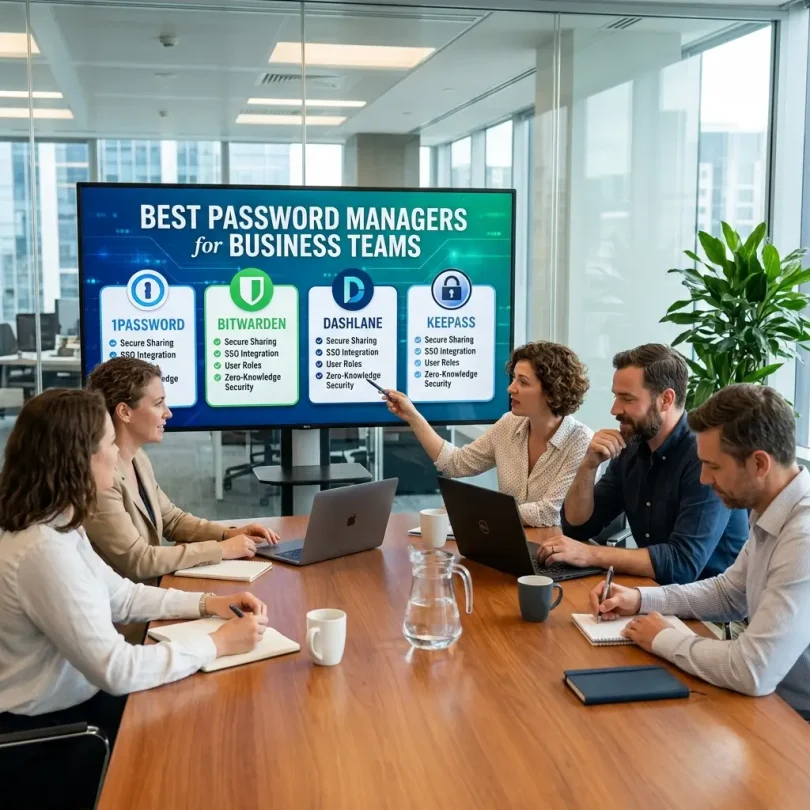
If you want the safest general recommendation, compare 1Password, Bitwarden, Dashlane, and Keeper first. These four cover most business use cases, from startups and SMBs to larger teams with SSO, SCIM, audit logs, admin controls, and secure sharing.
A business password manager is one of the simplest security upgrades a company can make. It reduces password reuse, makes sharing safer, improves offboarding, supports compliance, and gives admins visibility into credential risk.
FAQs About Business Password Managers
What is a business password manager?
A business password manager is software that helps teams securely store, share, manage, and monitor passwords, passkeys, notes, and credentials through encrypted vaults and admin controls.
What is the best password manager for business teams?
The best options for most teams are 1Password, Bitwarden, Dashlane, and Keeper. 1Password is strong for usability, Bitwarden is strong for open-source value, Dashlane is strong for admin policies, and Keeper is strong for enterprise controls.
Is Bitwarden good for business?
Yes. Bitwarden business plans include secure sharing, event logs, directory synchronization, SCIM provisioning, granular access control, passwordless SSO integration, account recovery, and self-hosting flexibility in enterprise plans.
Is Dashlane good for business teams?
Yes. Dashlane provides encrypted vaults for passwords and passkeys, secure sharing, admin monitoring, SAML login, automated provisioning, sharing rules, and policy enforcement.
Is Keeper good for enterprise password management?
Yes. Keeper Enterprise includes advanced provisioning with SCIM, AD/LDAP, SSO/SAML, advanced two-factor authentication, role-based access control, and developer APIs.
Should businesses use browser password managers?
Browser password managers may be convenient, but most businesses need stronger controls such as admin policies, secure team sharing, audit logs, offboarding, SSO, and access reporting.
What is SCIM in password management?
SCIM helps automate user provisioning and deprovisioning. It can add or remove users from the password manager when employees join, move teams, or leave.
Do password managers support passkeys?
Many modern password managers now support passkeys. 1Password says users can create, manage, and sign in with passkeys through its browser extension on supported websites and apps.
Are password managers safe?
Reputable business password managers use strong encryption, zero-knowledge architecture, admin controls, and MFA. However, companies must configure policies correctly and train employees.
What features should a business password manager have?
Important features include secure sharing, admin console, MFA enforcement, role-based access, audit logs, password health reports, SSO, SCIM, passkey support, and account recovery.