
Remote work has changed business security forever.
A few years ago, many employees worked from one office network. The company firewall, office Wi-Fi, IT team, and local servers formed the center of business security. Today, employees may work from home, coworking spaces, hotels, airports, client offices, coffee shops, and different countries.
That means company data now lives on many endpoints:
- Employee laptops
- Desktop computers
- Mobile phones
- Tablets
- Contractor devices
- Developer workstations
- Executive laptops
- Sales team devices
- Support team machines
- Remote admin systems
- Cloud-connected devices
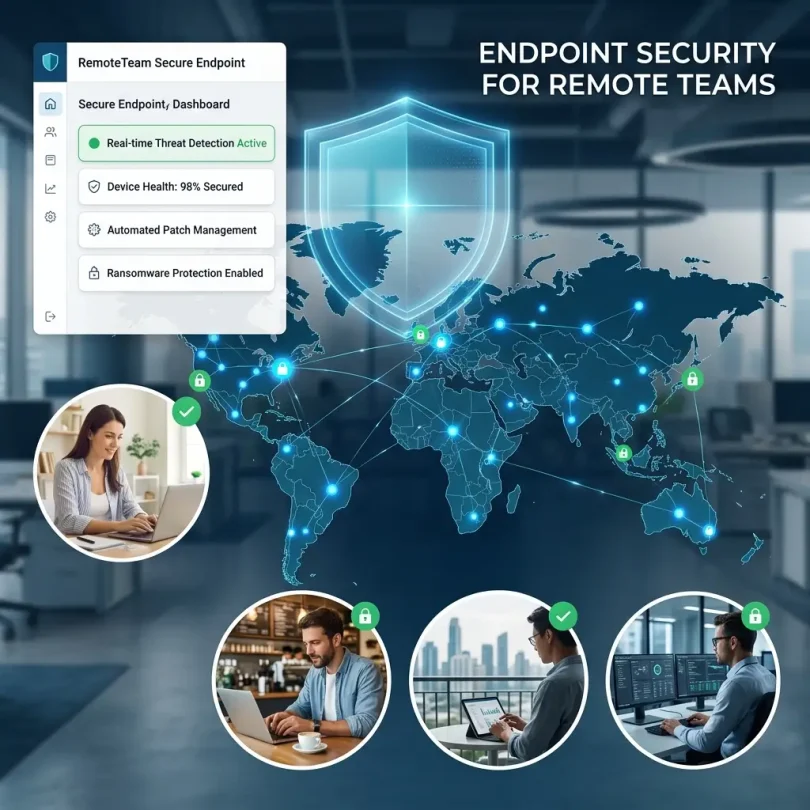
Every endpoint is now a possible entry point for attackers.
If a remote employee clicks a phishing link, downloads malware, uses an outdated laptop, loses a device, connects to unsafe Wi-Fi, or signs in with stolen credentials, the whole business can be at risk.
That is why endpoint security software is essential for remote teams.
Endpoint security software protects business devices from malware, ransomware, phishing, suspicious behavior, unauthorized access, data theft, and advanced attacks. Modern endpoint platforms may include antivirus, EDR, XDR, device control, vulnerability management, mobile threat protection, automated response, managed detection and response, and identity protection.
Microsoft describes Defender for Endpoint as a cloud-native endpoint security solution that provides visibility and AI-powered cyberthreat protection across Windows, macOS, Linux, Android, iOS, and IoT devices. It includes endpoint protection, EDR, mobile threat protection, and advanced hunting in one platform.
This guide compares the best endpoint security software for remote teams, explains must-have features, and helps companies choose the right protection for distributed employees.
Important Disclaimer
This article is for general educational and informational purposes only. It is not professional cybersecurity, legal, compliance, insurance, or incident response advice. Endpoint security needs vary by company size, device type, remote work policy, industry, data sensitivity, compliance requirements, and budget. Always consult qualified cybersecurity professionals before making major security decisions.
What Is Endpoint Security Software?
Endpoint security software protects devices that connect to business systems.
These devices may include:
- Windows laptops
- MacBooks
- Linux workstations
- Android phones
- iPhones
- Tablets
- Servers
- Virtual machines
- Developer machines
- Contractor devices
- IoT devices
Endpoint security software may include:
- Antivirus
- Anti-malware
- Ransomware protection
- Endpoint detection and response
- Extended detection and response
- Device control
- Patch visibility
- Vulnerability management
- Web protection
- Phishing protection
- Firewall controls
- USB control
- Disk encryption monitoring
- Mobile threat defense
- Automated remediation
- Threat hunting
- Managed detection and response
- Security analytics
Traditional antivirus mainly focused on known malware signatures. Modern endpoint security is broader. It looks at behavior, identity, cloud activity, suspicious processes, file changes, network connections, and attack patterns.
For remote teams, endpoint security is especially important because devices are often outside the office network.
Why Remote Teams Need Endpoint Security
Remote teams face different security challenges from office-only teams.
1. Devices Are Outside the Office
Remote laptops may connect from home Wi-Fi, public Wi-Fi, mobile hotspots, or travel networks.
2. Employees Use More Cloud Apps
Remote teams rely on tools like Google Workspace, Microsoft 365, Slack, Zoom, GitHub, Notion, Salesforce, HubSpot, Jira, and cloud storage.
3. Phishing Risk Is Higher
Attackers target remote workers with fake login pages, fake meeting links, fake invoices, and fake IT support messages.
4. Lost Devices Are Common
A lost laptop can expose company data if it is not encrypted and properly managed.
5. IT Visibility Is Lower
The IT team cannot physically inspect every device.
6. Personal and Work Use May Mix
Remote employees may use the same device for work and personal browsing if policies are weak.
7. Contractors Add Risk
Contractors may access systems from unmanaged devices.
8. Ransomware Can Spread Quickly
One infected endpoint can lead to file encryption, credential theft, lateral movement, and business downtime.
Microsoft’s remote work security guidance says Microsoft Defender XDR protects against malware, phishing, and ransomware across devices while checking device health and alerting admins to suspicious activity. It also mentions Microsoft Entra ID for adaptive identity protection, MFA, and conditional access.
For remote teams, endpoint security should work together with identity security, MFA, password management, cloud backup, and access controls.
Endpoint Security vs Antivirus vs EDR vs XDR
These terms are often confused.
Antivirus
Antivirus blocks known malware and suspicious files.
Good for basic protection, but not enough for advanced attacks.
Endpoint Protection Platform
An endpoint protection platform includes antivirus plus more advanced controls like exploit protection, ransomware protection, web protection, and centralized management.
EDR
EDR stands for Endpoint Detection and Response.
EDR helps detect suspicious endpoint activity, investigate incidents, and respond to threats.
SentinelOne describes EDR as a security approach that helps detect and respond to endpoint threats, with AI threat detection and autonomous response that can combat ransomware and resolve threats at machine speed.
XDR
XDR stands for Extended Detection and Response.
XDR connects endpoint data with other security signals such as identity, cloud, email, SaaS, and network activity.
SentinelOne explains that XDR provides extended security coverage compared with EDR, while EDR can be useful for organizations with limited budget and visibility needs.
MDR
MDR stands for Managed Detection and Response.
MDR combines security technology with human analysts who monitor, investigate, and respond to threats.
For remote teams without a security operations center, MDR can be very valuable.
Best Endpoint Security Software for Remote Teams
Below are some of the best endpoint security tools to compare in 2026.
1. Microsoft Defender for Endpoint
Best for: Microsoft 365 and Windows-heavy remote teams
Good for: Windows, macOS, Linux, Android, iOS, Microsoft ecosystem
Main strength: Endpoint security connected with Microsoft XDR and identity tools
Microsoft Defender for Endpoint is one of the strongest choices for remote teams that already use Microsoft 365, Windows, Entra ID, Intune, Outlook, SharePoint, OneDrive, and Teams.
Microsoft says Defender for Endpoint is a cloud-native endpoint security solution that supports Windows, macOS, Linux, Android, iOS, and IoT devices. It includes endpoint protection, EDR, mobile threat protection, exposure management, and advanced hunting in one platform.
Key Features
- Endpoint protection
- Next-generation antivirus
- EDR
- Mobile threat protection
- Advanced hunting
- Exposure management
- Device visibility
- Ransomware protection
- Microsoft XDR integration
- Microsoft Defender Antivirus
- Cross-platform support
- Cloud-native management
- Threat and vulnerability management
- Security recommendations
Why It Is Good for Remote Teams
Remote teams need visibility into devices that are not physically inside the office. Defender for Endpoint gives admins a centralized view of endpoint security posture across multiple operating systems.
It also works well with Microsoft Entra ID and conditional access. That means companies can build policies such as:
- Only trusted devices can access company apps
- Risky sign-ins require MFA
- Non-compliant devices are blocked
- Devices must be encrypted
- Devices must have security protection enabled
This is powerful for remote-first companies.
Best Fit
Microsoft Defender for Endpoint is best for companies using Microsoft 365, Windows devices, Entra ID, Intune, and Microsoft security tools.
Possible Downsides
Companies using a mixed stack with many non-Microsoft tools may compare CrowdStrike, SentinelOne, Sophos, or Bitdefender. Defender can be strong, but configuration quality matters.
2. CrowdStrike Falcon
Best for: Advanced endpoint protection and threat intelligence
Good for: Growing companies, remote teams, security-conscious businesses
Main strength: Lightweight agent, strong endpoint visibility, broad security platform
CrowdStrike Falcon is a leading endpoint security platform. CrowdStrike says its Falcon platform unifies endpoint, identity, cloud, SaaS, and AI protection in one AI-native platform, providing visibility, real-time intelligence, and automated response to prevent breaches.
CrowdStrike’s endpoint security page says Falcon extends protection beyond endpoints by unifying visibility across the Falcon platform to expose hidden threats that siloed tools miss.
Key Features
- Endpoint protection
- EDR
- XDR capabilities
- Threat intelligence
- Automated response
- Lightweight agent
- Identity protection options
- Cloud security options
- Device control
- Ransomware protection
- Managed detection options
- Threat hunting
- Real-time visibility
- Remote deployment
Why It Is Good for Remote Teams
CrowdStrike is strong for remote teams because endpoint protection does not depend on employees being inside the office. Its cloud-native architecture helps security teams monitor devices wherever employees work.
It is also useful for companies that want endpoint security connected with identity, cloud, and SaaS protection.
CrowdStrike’s focus on modern adversaries is important because many attacks now combine stolen credentials, endpoint compromise, cloud access, and SaaS account takeover.
Best Fit
CrowdStrike Falcon is best for growing remote teams that want advanced endpoint protection, strong threat intelligence, and an upgrade path to XDR and managed services.
Possible Downsides
CrowdStrike can be more expensive than basic endpoint protection. Smaller businesses should compare plan features carefully and avoid buying more than they can manage.
3. SentinelOne Singularity Endpoint
Best for: Autonomous endpoint protection and ransomware response
Good for: Remote teams, SMBs, mid-market companies, security teams needing EDR
Main strength: AI-powered detection and autonomous response
SentinelOne Singularity Endpoint is designed for AI-powered endpoint protection, EDR, and response.
SentinelOne says its platform unifies AI-powered endpoint, cloud, identity, and data protection. It also describes its security approach as machine-speed autonomous protection.
Its endpoint security page says it offers EDR capabilities and identity protection in one package, supports Windows, macOS, and Linux, and uses a lightweight autonomous agent.
Key Features
- Endpoint protection
- EDR
- Ransomware detection
- Behavioral AI
- Autonomous response
- Identity protection options
- Windows, macOS, and Linux support
- Lightweight agent
- Threat investigation
- Rollback/remediation capabilities, depending on plan
- Cloud console
- XDR options
- Managed services options
Why It Is Good for Remote Teams
SentinelOne is useful for remote teams because it can detect suspicious behavior directly on endpoints and respond quickly.
For example, if ransomware starts encrypting files on a remote laptop, endpoint detection and automated response can help contain the damage faster than waiting for manual review.
Its cross-platform support is also useful for teams with Windows laptops, MacBooks, and Linux developer machines.
Best Fit
SentinelOne is best for remote teams that want strong EDR, autonomous response, and ransomware protection across mixed operating systems.
Possible Downsides
Like all EDR tools, SentinelOne works best when someone reviews and responds to alerts. Companies without internal security staff should consider MDR.
4. Sophos Intercept X Endpoint
Best for: Ransomware defense and managed security options
Good for: SMBs, remote teams, MSP-managed companies
Main strength: Anti-ransomware protection, deep learning detection, XDR/MDR options
Sophos Intercept X is a strong endpoint security solution for businesses that want ransomware protection and simplified management.
Sophos says Intercept X helps secure endpoints from ransomware attacks and malicious exploits with advanced deep learning, XDR, and simplified management. Sophos also describes its EDR as a comprehensive endpoint security solution for security analysts and IT administrators.
Key Features
- Endpoint protection
- Anti-ransomware protection
- Deep learning malware detection
- Exploit prevention
- EDR
- XDR options
- MDR options
- Centralized Sophos Central management
- Web protection
- Device control
- Server protection options
- Managed threat response options
Why It Is Good for Remote Teams
Sophos is strong for small and mid-sized remote teams because it combines protection with management simplicity. Many remote teams do not have large IT departments, so clear dashboards and managed service options matter.
Sophos MDR can also be useful for companies that need human-led monitoring and response.
Best Fit
Sophos Intercept X is best for remote teams that want strong ransomware protection and optional MDR support.
Possible Downsides
Pricing is often quote-based through partners, so businesses should compare total cost and make sure the right EDR or MDR tier is included.
5. Bitdefender GravityZone Business Security
Best for: Small and mid-sized remote teams needing strong endpoint protection
Good for: SMBs, remote employees, mixed offices, ransomware protection
Main strength: Business endpoint protection with centralized management
Bitdefender GravityZone Business Security is a strong option for companies that want endpoint protection without enterprise complexity.
Bitdefender describes GravityZone Small Business Security as easy-to-manage protection against phishing, ransomware, and other threats for small businesses seeking enterprise-level security.
Key Features
- Endpoint protection
- Malware protection
- Ransomware defense
- Phishing protection
- Web protection
- Centralized console
- Device control options
- Server protection options
- Cloud-based management
- Risk analytics in higher tiers
- Patch management options
Why It Is Good for Remote Teams
Bitdefender works well for remote teams that need centralized security management across many laptops and desktops. It can protect users outside the office while giving admins a single place to view device security status.
It is also a practical choice for companies that need strong protection but are not ready for a full enterprise XDR platform.
Best Fit
Bitdefender GravityZone is best for small and mid-sized remote teams that want reliable endpoint protection and ransomware defense.
Possible Downsides
Companies needing deep EDR, 24/7 monitoring, cloud security, or advanced threat hunting may need higher tiers or MDR services.
6. ESET Protect
Best for: Lightweight endpoint security for remote teams
Good for: Small offices, distributed teams, mixed operating systems
Main strength: Low-impact endpoint protection and flexible deployment
ESET Protect is known for lightweight security, strong malware protection, and flexible deployment.
It is useful for remote teams that want endpoint protection without slowing devices. This matters when employees use laptops for video calls, development, design, sales demos, and daily productivity.
Key Features
- Endpoint antivirus
- Malware protection
- Ransomware shield
- Cloud management
- Web protection
- Device control
- Email security options
- File server protection options
- Windows, macOS, and Linux options
- Lightweight agent
- Flexible management
Why It Is Good for Remote Teams
ESET is a practical fit for companies that want dependable endpoint security but do not want heavy software. Remote employees often work on laptops with many productivity tools running, so performance impact matters.
Best Fit
ESET Protect is best for remote teams that want lightweight endpoint security and flexible cross-platform protection.
Possible Downsides
Teams needing advanced EDR, XDR, or MDR should compare ESET’s higher-tier offerings with CrowdStrike, SentinelOne, Sophos, and Microsoft.
7. Trend Vision One Endpoint Security
Best for: XDR-focused endpoint and broader security visibility
Good for: Mid-market companies, distributed teams, businesses needing cross-layer detection
Main strength: Endpoint security connected with XDR
Trend Vision One is Trend Micro’s broader security platform that includes endpoint, email, cloud, identity, and XDR capabilities.
For remote teams, XDR matters because attacks do not stop at one endpoint. A phishing email may steal credentials, then compromise a cloud account, then install malware on a device.
Key Features
- Endpoint protection
- EDR/XDR
- Ransomware protection
- Email security integration
- Cloud security integration
- Identity risk visibility
- Threat intelligence
- Attack surface management
- Detection and response
- Centralized dashboards
Why It Is Good for Remote Teams
Trend Vision One is useful for companies that want endpoint security connected to other threat signals, especially email and cloud activity.
This is helpful because remote workers depend heavily on cloud apps and email.
Best Fit
Trend Vision One is best for remote teams that want broader XDR visibility beyond endpoints.
Possible Downsides
Smaller businesses may not need the full platform. They should compare complexity, pricing, and internal security capacity.
8. Cisco Secure Endpoint
Best for: Companies using Cisco security and networking tools
Good for: Remote teams, network-security-focused businesses, hybrid environments
Main strength: Endpoint protection tied into Cisco security ecosystem
Cisco Secure Endpoint is an endpoint protection platform that works well for companies already using Cisco security products.
Remote teams need endpoint security, but they also need secure access, DNS protection, email security, and network visibility. Cisco’s ecosystem can support those needs across multiple layers.
Key Features
- Endpoint protection
- Malware defense
- EDR
- Threat intelligence
- SecureX ecosystem support
- Cisco Talos intelligence
- Device visibility
- Retrospective security
- Integrations with Cisco security tools
- Remote device protection
Why It Is Good for Remote Teams
Cisco Secure Endpoint is useful for businesses that want endpoint security as part of a wider Cisco security strategy. It may fit companies already using Cisco Umbrella, Secure Access, firewalls, or other Cisco products.
Best Fit
Cisco Secure Endpoint is best for companies invested in Cisco networking and security.
Possible Downsides
Companies not using Cisco may prefer endpoint-first vendors such as CrowdStrike, SentinelOne, Microsoft, Sophos, or Bitdefender.
9. Malwarebytes ThreatDown
Best for: Simple endpoint protection for smaller remote teams
Good for: Small businesses, agencies, distributed freelancers, simple IT setups
Main strength: Easy deployment and malware/ransomware protection
Malwarebytes business products are useful for smaller teams that want endpoint protection without enterprise complexity.
ThreatDown, powered by Malwarebytes, focuses on business endpoint protection and managed security offerings.
Key Features
- Endpoint protection
- Malware protection
- Ransomware protection
- Web protection
- Vulnerability and patch-related features in some offerings
- Managed detection options
- Cloud management
- Easy deployment
- Small business-friendly interface
Why It Is Good for Remote Teams
Smaller remote teams often need protection that can be deployed quickly. Malwarebytes can be a good fit when the business wants practical security without a complex SOC workflow.
Best Fit
Malwarebytes ThreatDown is best for small remote teams that need easy endpoint protection and simple management.
Possible Downsides
Fast-growing businesses with advanced threats, compliance requirements, or complex cloud environments may need stronger EDR/XDR.
10. Huntress
Best for: Managed endpoint security for SMB remote teams
Good for: Small businesses using MSPs, remote teams without security staff
Main strength: Human-led detection and response for smaller businesses
Huntress is a managed security platform designed especially for small and mid-sized businesses, often through managed service providers.
For remote teams without a security team, managed security can be more useful than another dashboard. Huntress helps detect threats and support response when small businesses do not have internal analysts.
Key Features
- Managed detection and response
- Endpoint threat detection
- Microsoft 365 protection options
- Ransomware detection
- Human analyst review
- Threat hunting
- Incident support
- MSP-friendly deployment
- SMB-focused security operations
Why It Is Good for Remote Teams
Remote teams often have limited IT visibility. Huntress is useful because it adds human monitoring and investigation, not only software alerts.
If a small business cannot afford a full-time security analyst, managed detection can fill the gap.
Best Fit
Huntress is best for small remote teams that work with MSPs or need managed security support.
Possible Downsides
Huntress is not a replacement for every security layer. Businesses may still need endpoint protection, password managers, MFA, backups, and email security.
Quick Comparison Table
| Endpoint Security Software | Best For | Main Strength | Best Remote Team Type |
|---|---|---|---|
| Microsoft Defender for Endpoint | Microsoft 365 teams | XDR and Microsoft integration | Windows/Microsoft-heavy teams |
| CrowdStrike Falcon | Advanced endpoint security | Threat intelligence and XDR platform | Growing remote companies |
| SentinelOne Singularity | Autonomous EDR | AI detection and response | Mixed OS remote teams |
| Sophos Intercept X | Ransomware defense | Anti-ransomware + MDR options | SMB and MSP-managed teams |
| Bitdefender GravityZone | SMB endpoint protection | Centralized ransomware defense | Small/mid-size remote teams |
| ESET Protect | Lightweight protection | Low system impact | Small distributed teams |
| Trend Vision One | XDR visibility | Endpoint + email + cloud signals | Mid-market teams |
| Cisco Secure Endpoint | Cisco ecosystem | Endpoint + network security alignment | Cisco-heavy organizations |
| Malwarebytes ThreatDown | Simple protection | Easy deployment | Small remote teams |
| Huntress | Managed security | Human-led MDR | SMBs without security staff |
Best Endpoint Security Software by Use Case
Best for Microsoft-Based Remote Teams
Microsoft Defender for Endpoint
Best if your business uses Microsoft 365, Entra ID, Intune, Teams, Outlook, OneDrive, and Windows devices.
Best for Advanced Remote Endpoint Protection
CrowdStrike Falcon
Strong for growing teams that want threat intelligence, endpoint visibility, and XDR options.
Best for Autonomous EDR
SentinelOne Singularity Endpoint
Strong for ransomware response, behavioral detection, and mixed Windows/macOS/Linux teams.
Best for Ransomware Protection
Sophos Intercept X
Good for businesses that want anti-ransomware protection with optional MDR.
Best for SMB Endpoint Security
Bitdefender GravityZone
Practical for small and mid-sized businesses wanting centralized endpoint protection.
Best for Lightweight Protection
ESET Protect
Good for remote teams that care about low device impact.
Best for Managed SMB Security
Huntress
Best for small remote teams without internal security staff.
Must-Have Endpoint Security Features for Remote Teams
1. Cross-Platform Protection
Remote teams may use Windows, macOS, Linux, Android, and iOS.
The endpoint tool should protect the devices your employees actually use.
2. Ransomware Protection
Ransomware can shut down a remote business quickly.
Look for:
- Behavioral ransomware detection
- Suspicious encryption detection
- Rollback or remediation options
- Exploit prevention
- Backup integration
- Rapid isolation
3. EDR
EDR helps detect suspicious behavior after basic prevention fails.
Useful EDR functions include:
- Timeline investigation
- Process tree visibility
- File activity
- Network connections
- Threat hunting
- Endpoint isolation
- Automated response
4. Device Isolation
If a remote laptop is compromised, the security team should be able to isolate it from the network while keeping security access.
5. Cloud-Based Management
Remote teams need cloud-based management because devices are not always on the office network.
6. Mobile Threat Defense
If employees use phones for work email, MFA, Slack, or business apps, mobile security matters.
7. Vulnerability Management
Endpoint tools should show outdated software, missing patches, and risky applications.
8. Device Control
Device control helps manage USB drives and external storage risks.
9. Web Protection
Remote employees need protection from phishing sites, malicious downloads, and fake login pages.
10. MDR Option
If your company cannot monitor alerts, choose a vendor or MSP with MDR.
Endpoint Security for BYOD Remote Teams
BYOD means “bring your own device.”
BYOD is common in startups, agencies, and remote-first companies, but it creates security challenges.
Risks include:
- No company control over devices
- Personal apps mixed with work data
- Unknown patch status
- No disk encryption
- Shared family computers
- Weak passwords
- Lost devices
- Malware from personal browsing
- Data leakage
For BYOD teams, consider:
- Conditional access
- Mobile device management
- Browser isolation where needed
- Company-managed apps
- MFA
- Password manager
- Minimum security requirements
- Device compliance checks
- Clear acceptable use policy
- Separate work profiles
- Endpoint security agent where legally and practically appropriate
Do not allow unmanaged personal devices to access sensitive business systems without controls.
Endpoint Security Pricing: What Remote Teams Should Expect
Endpoint security pricing depends on:
- Number of devices
- Number of users
- Operating systems
- Antivirus vs EDR vs XDR
- MDR services
- Mobile protection
- Vulnerability management
- Device control
- Data retention
- Support level
- Annual vs monthly contract
- MSP vs direct purchase
Basic endpoint protection is usually cheaper. EDR and XDR cost more. MDR costs more again, but it can save time if you do not have security staff.
For remote teams, the cheapest tool is not always best. A tool that nobody monitors can leave serious gaps.
Endpoint Security Implementation Checklist
Use this checklist before deployment.
Step 1: List All Devices
Include:
- Employee laptops
- Desktops
- Contractor devices
- Mobile phones
- Servers
- Developer machines
- Executive devices
Step 2: Choose the Right Tool
Match your tool to your risk level, budget, and IT capacity.
Step 3: Deploy Agents
Install endpoint agents on all managed devices.
Step 4: Enable Policies
Turn on:
- Malware protection
- Ransomware protection
- Web protection
- Device control
- Firewall policies
- Exploit protection
- Tamper protection
Step 5: Enable MFA
Endpoint security should work with identity security.
Step 6: Configure Alerts
Decide who receives security alerts.
Step 7: Set Response Actions
Enable isolation, quarantine, and remediation workflows.
Step 8: Monitor Compliance
Track devices without protection, outdated agents, and risky configurations.
Step 9: Train Employees
Teach employees about phishing, fake updates, unsafe downloads, and suspicious links.
Step 10: Review Monthly
Review alerts, device coverage, vulnerabilities, and policy gaps.
Common Endpoint Security Mistakes Remote Teams Make
Mistake 1: Protecting Only Office Devices
Remote laptops and contractor devices also need protection.
Mistake 2: Using Consumer Antivirus
Business security needs centralized management and reporting.
Mistake 3: No EDR or MDR
Basic antivirus may not detect advanced attacks.
Mistake 4: Ignoring Mac and Linux Devices
Attackers also target macOS and Linux systems.
Mistake 5: No Device Inventory
You cannot protect devices you do not know about.
Mistake 6: Not Isolating Compromised Devices
Fast isolation can reduce breach spread.
Mistake 7: No Patch Visibility
Outdated software creates easy attack paths.
Mistake 8: No Remote Offboarding
Former employees should lose access immediately.
Mistake 9: No Backup
Endpoint security reduces ransomware risk, but backup is still essential.
Mistake 10: No Human Monitoring
Alerts need owners. If nobody watches them, consider MDR.
Final Verdict: What Is the Best Endpoint Security Software for Remote Teams?
The best endpoint security software depends on your remote work setup, device mix, budget, and internal IT capacity.
For most remote teams:
- Best for Microsoft 365 teams: Microsoft Defender for Endpoint
- Best advanced endpoint platform: CrowdStrike Falcon
- Best autonomous EDR: SentinelOne Singularity Endpoint
- Best anti-ransomware plus MDR path: Sophos Intercept X
- Best SMB endpoint protection: Bitdefender GravityZone
- Best lightweight endpoint security: ESET Protect
- Best XDR-focused platform: Trend Vision One
- Best Cisco ecosystem option: Cisco Secure Endpoint
- Best simple SMB deployment: Malwarebytes ThreatDown
- Best managed SMB security: Huntress
If you already use Microsoft 365, start with Microsoft Defender for Endpoint. If you want advanced protection and threat intelligence, compare CrowdStrike and SentinelOne. If you want ransomware protection plus managed help, compare Sophos and Huntress. If you need simple SMB endpoint protection, compare Bitdefender, ESET, and Malwarebytes.
Remote work makes endpoint security a business-critical layer. Every laptop, phone, and workstation is part of your security perimeter now. The right endpoint security software helps protect your team, customers, data, and operations wherever work happens.
FAQs About Endpoint Security Software
What is endpoint security software?
Endpoint security software protects devices such as laptops, desktops, phones, tablets, servers, and workstations from malware, ransomware, phishing, suspicious behavior, and cyberattacks.
What is the best endpoint security software for remote teams?
The best option depends on your needs. Microsoft Defender for Endpoint is strong for Microsoft 365 teams, CrowdStrike Falcon is strong for advanced endpoint protection, SentinelOne is strong for autonomous EDR, Sophos is strong for ransomware protection, and Bitdefender is strong for SMB endpoint security.
Is endpoint security different from antivirus?
Yes. Antivirus mainly blocks malware. Endpoint security is broader and may include antivirus, EDR, XDR, ransomware protection, device control, web protection, vulnerability management, and automated response.
What is EDR?
EDR stands for Endpoint Detection and Response. It helps detect, investigate, and respond to suspicious activity on endpoints. SentinelOne describes EDR as using AI threat detection and autonomous response to combat ransomware and resolve threats at machine speed.
What is XDR?
XDR stands for Extended Detection and Response. It connects endpoint security with other signals such as identity, cloud, email, SaaS, and network activity for broader threat detection.
Is Microsoft Defender for Endpoint good?
Yes. Microsoft says Defender for Endpoint provides endpoint protection, EDR, mobile threat protection, exposure management, and advanced hunting across Windows, macOS, Linux, Android, iOS, and IoT devices.
Is CrowdStrike good for remote teams?
Yes. CrowdStrike says its Falcon platform unifies endpoint, identity, cloud, SaaS, and AI protection with visibility, real-time intelligence, and automated response.
Is SentinelOne good for ransomware protection?
SentinelOne says its endpoint security uses behavioral and static AI models to detect ransomware patterns in real time and supports autonomous protection.
Do remote teams need MDR?
Remote teams without internal security staff should consider MDR. MDR adds human analysts who monitor, investigate, and help respond to threats.
Should endpoint security cover mobile devices?
Yes, especially if employees use phones for email, MFA, messaging, cloud apps, or business data.